
SStore
Oct 15, 2026
Listen
0 likes
SStore
How to configuration via App
Initial Setup
- Install the Centurion app from your device's app store
- Open the app and create an admin account
- Register your hub by scanning the QR code on the device or entering the serial number
- Connect to Wi-Fi: The hub will automatically detect available networks; select yours and enter credentials
Device Registration
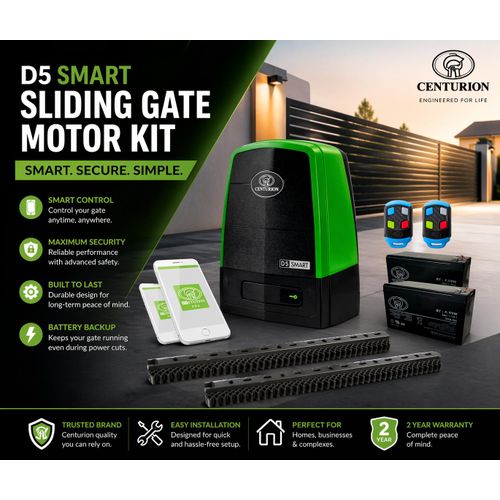
- Add new device: Tap "Add Device" and select "Centurion D5"
- Enter hub details: Provide the hub's serial number and any pairing code from the device label
- Wait for discovery: The app will search for the hub and display it when found
- Confirm pairing: Follow on-screen prompts to complete the pairing process
Gate Calibration
- Access gate settings: Navigate to "Gate Configuration" in the app menu
- Set opening limit: Manually open the gate completely, then use the app to confirm the limit switch position
- Set closing limit: Manually close the gate completely, then confirm the limit switch position
- Fine-tune limits: Adjust if needed for precise positioning
Smart Feature Configuration
- Motion/Obstacle settings: Configure sensitivity levels for obstacle detection sensors
- Speed control: Set opening and closing speeds according to gate weight and size
- Delay settings: Define pause times at fully open and closed positions
- Safety features: Enable auto-reverse if not already active
Automation & Scheduling
- Scheduled operation: Set specific times for opening/closing
- Voice assistant integration: Connect with Alexa, Google Assistant, or Siri
- Remote monitoring: Enable real-time status updates and control
- Geofencing: Set gate behavior based on your location
Testing & Verification
- Manual test: Use the app's remote control to open and close the gate
- Obstacle test: Place an object in the path and verify auto-reverse activation
- Limit verification: Confirm gate stops precisely at open and closed positions
- Power cycle: Restart the hub and verify all settings persist
Maintenance Settings
- Auto-close timer: Set automatic closing after a period of being open
- Night mode: Reduce noise during late hours
- Battery backup: Configure UPS settings